Switchboard
Switchboard
Change any Mac setting directly, without ever opening System Settings, by hand or by asking your AI.
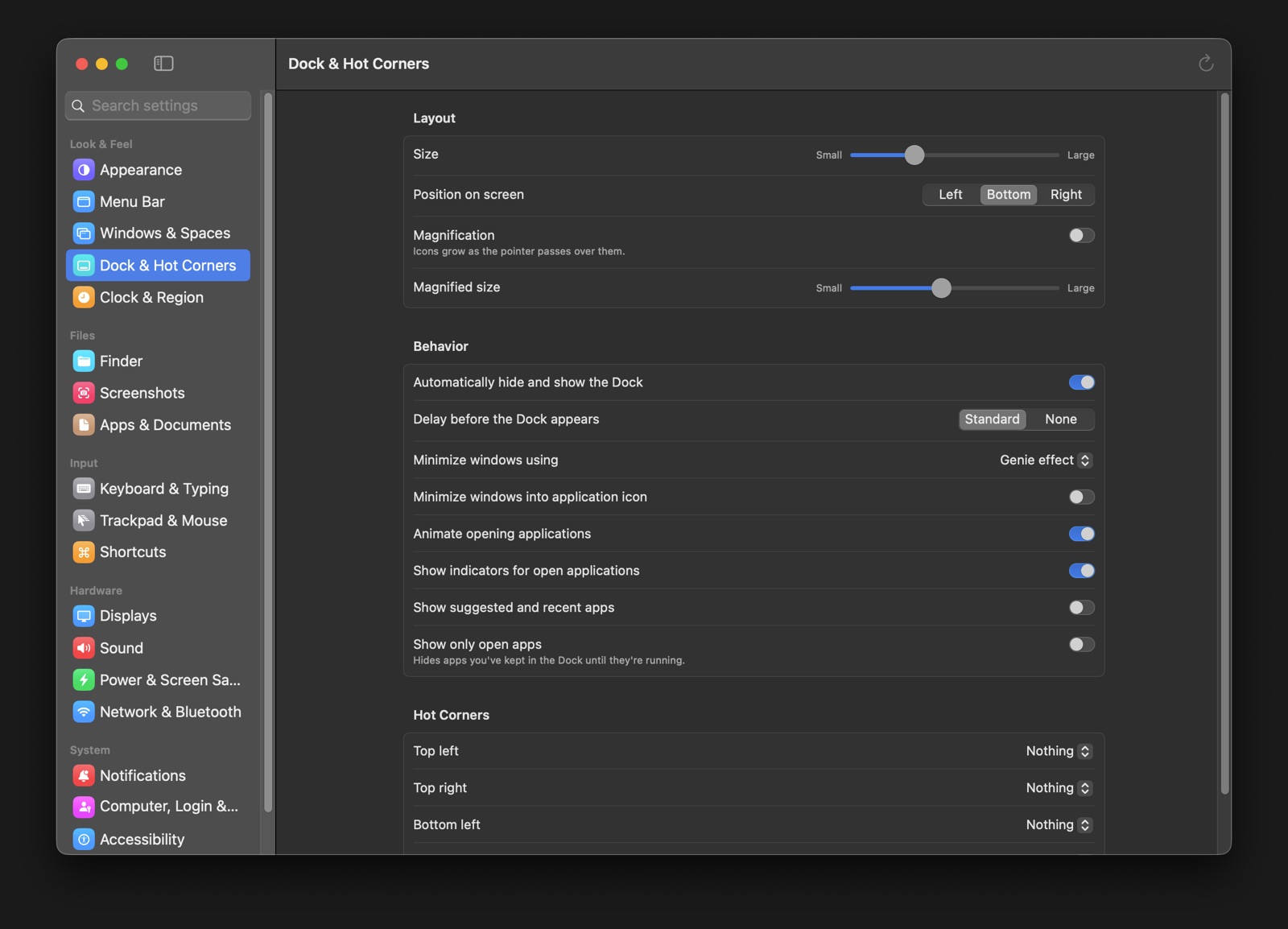
Switchboard is a native Mac app with a cleaner layout than Apple’s own settings app, where every setting appears exactly once. It applies changes directly through macOS itself, and a simple command line lets AI assistants like Claude read and change any setting for you.
settings on 19 pages, grouped into Look & Feel, Files, Input, Hardware and System. No setting is repeated across pages, and an automated audit makes sure it stays that way.
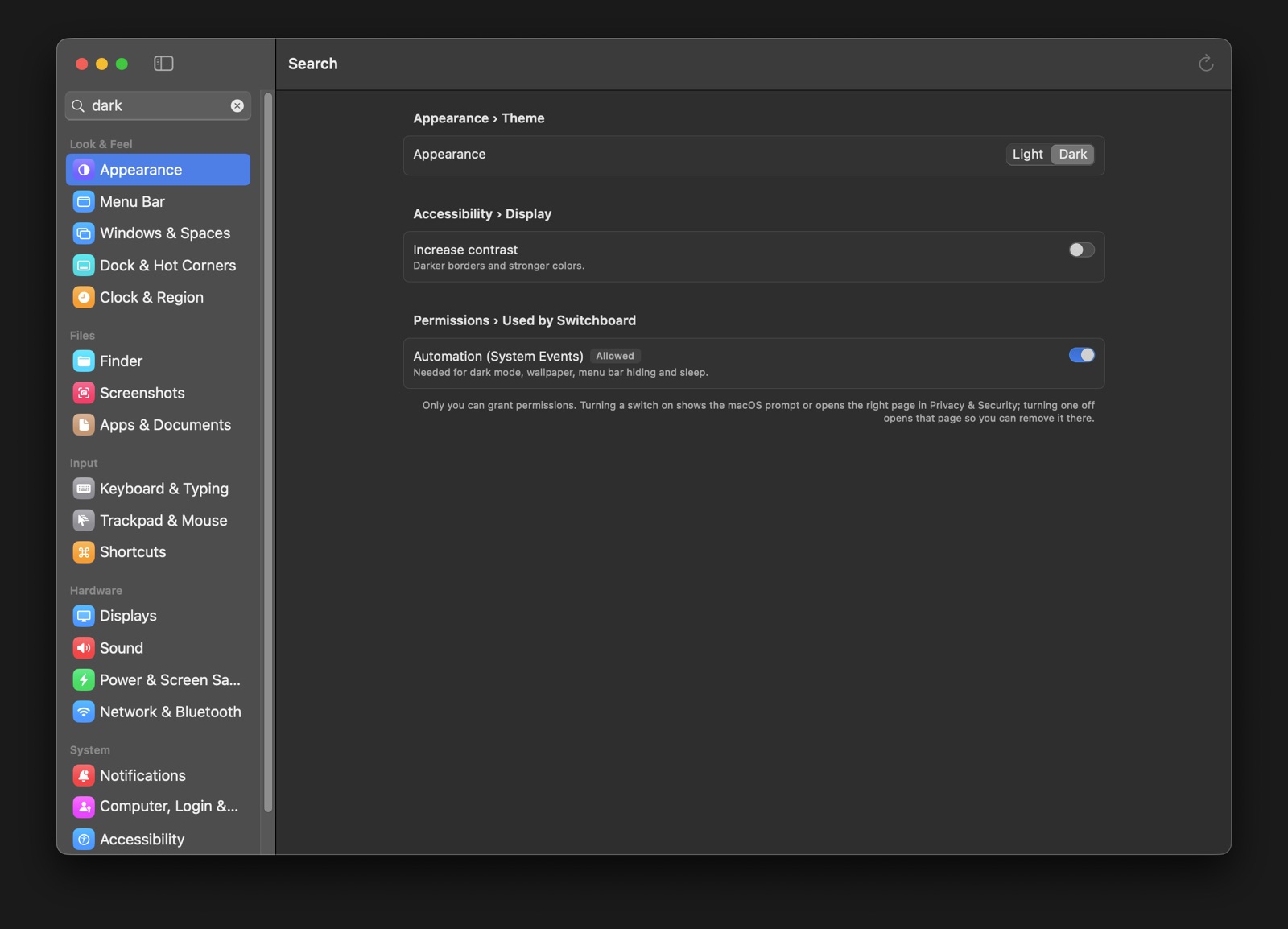
Find and change anythingInstant search, live values, and a menu bar panel
Instant search, live values, and a menu bar panel
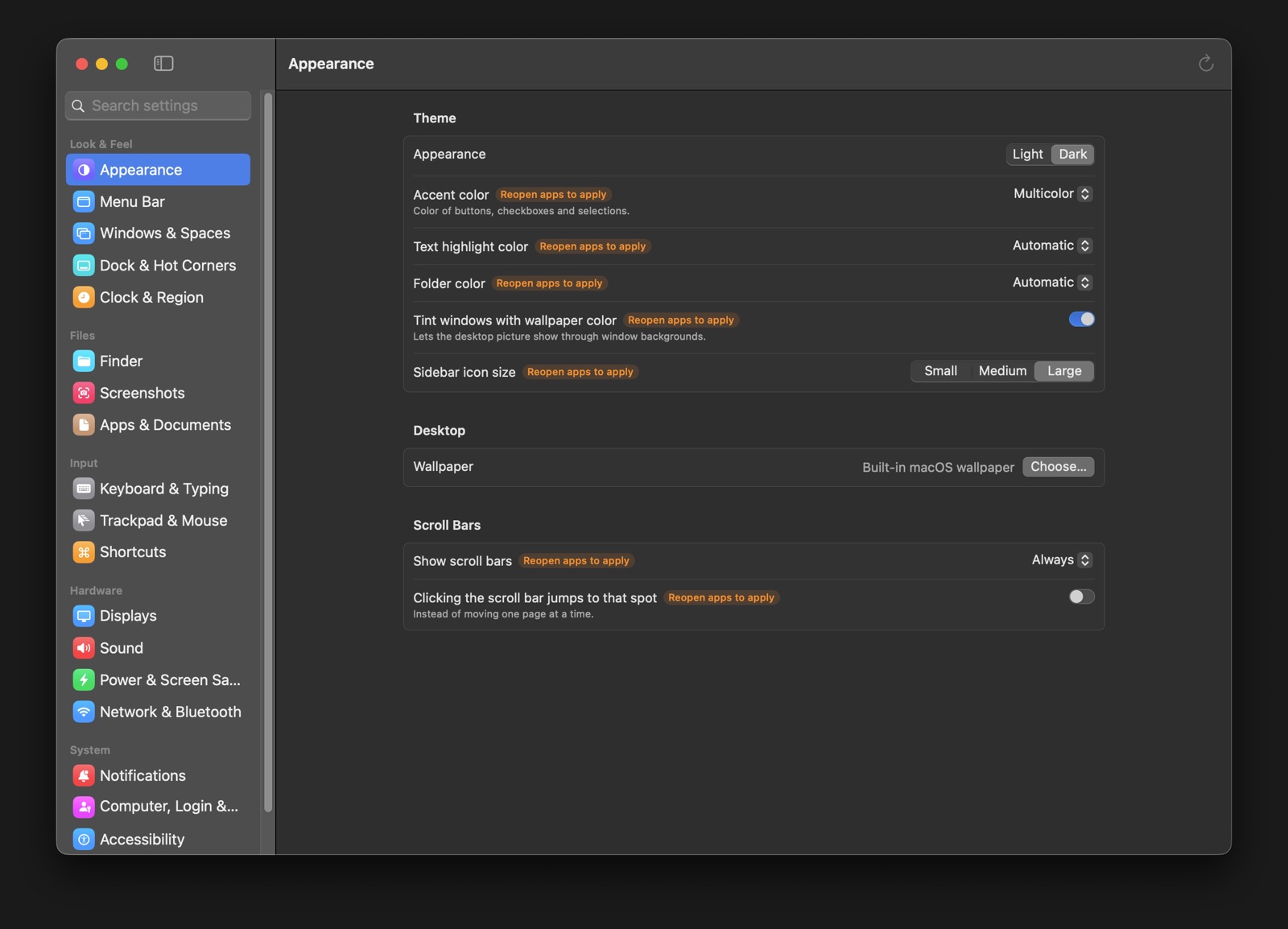
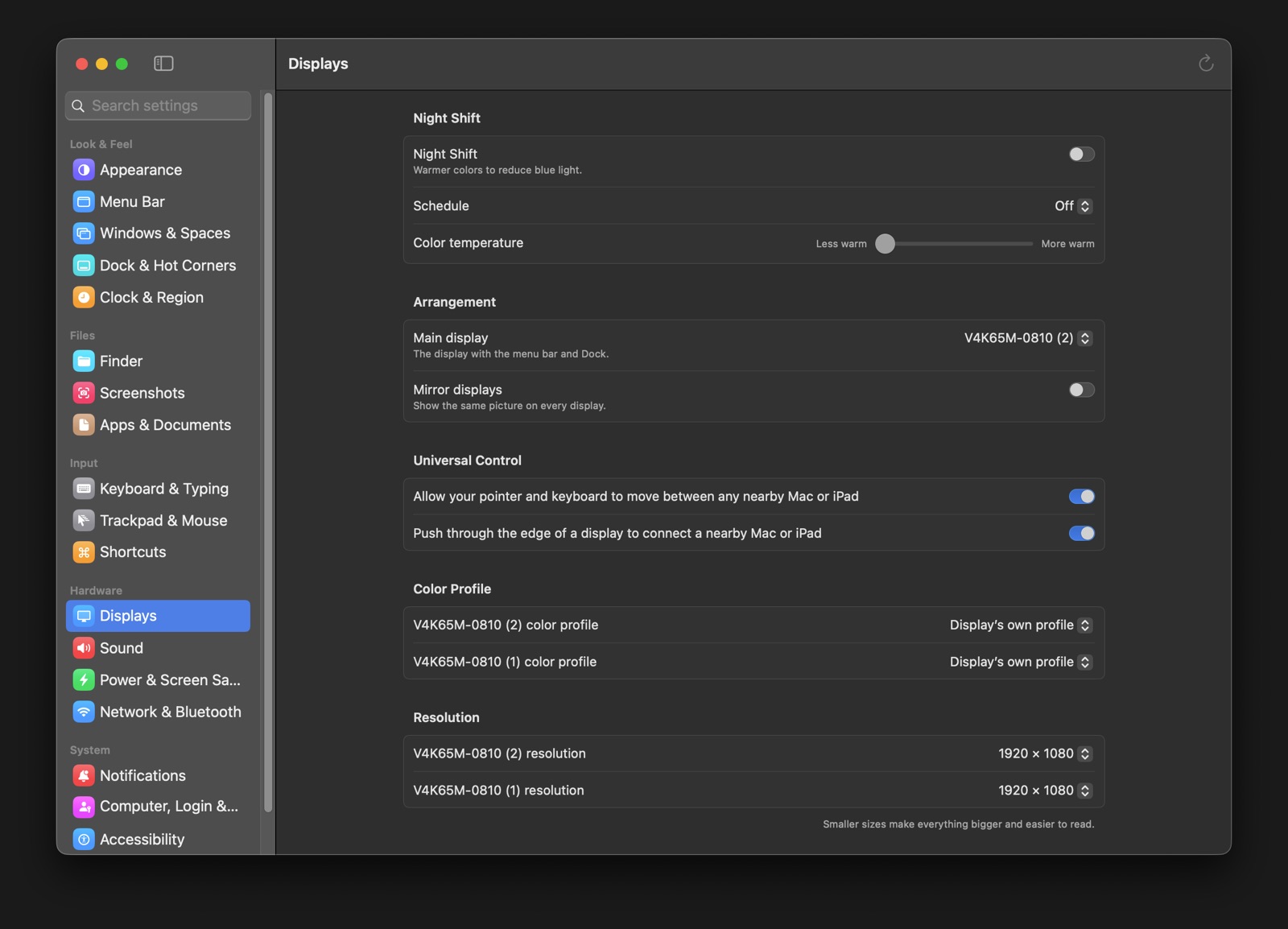
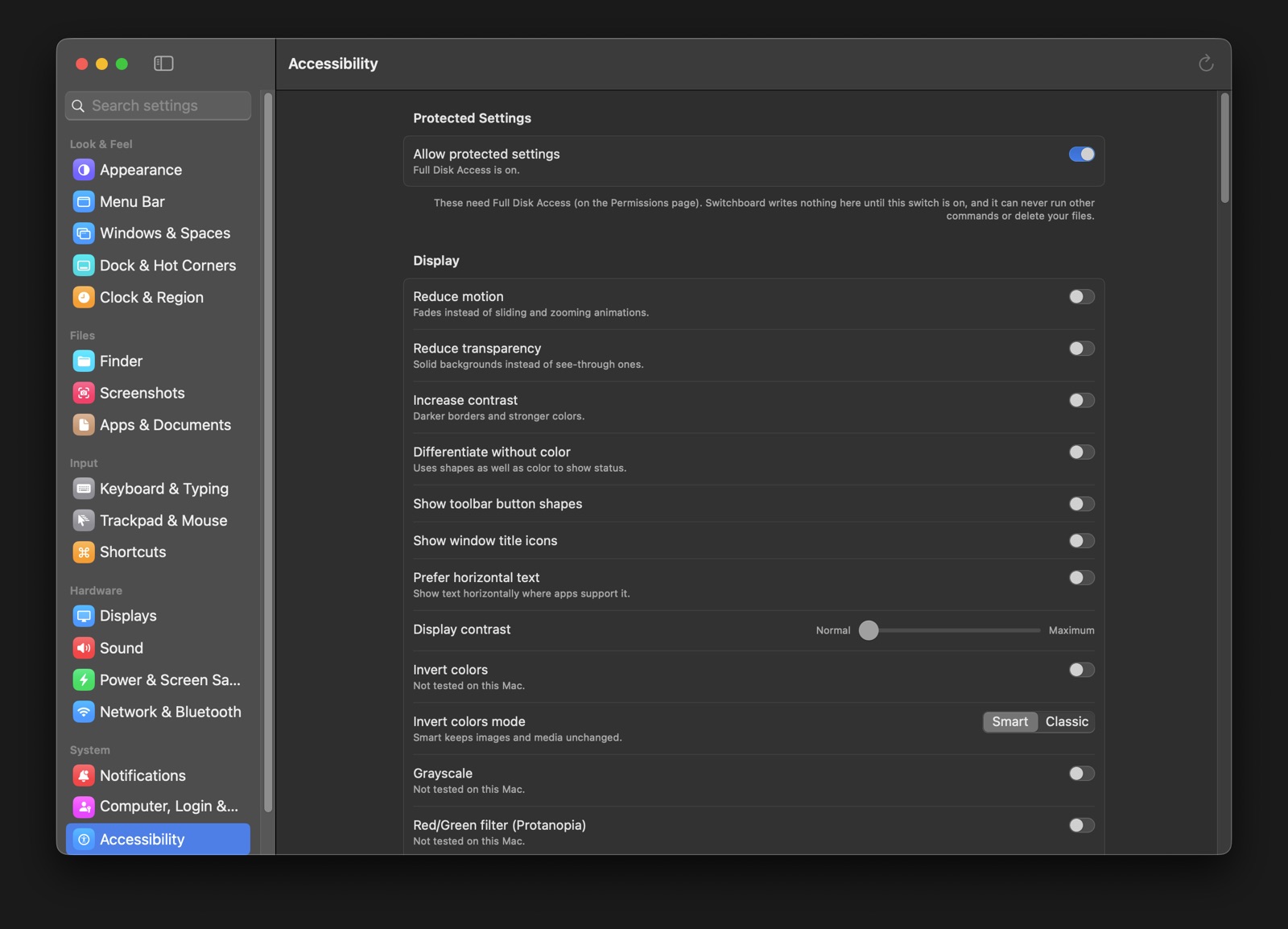
Live values
- Every control shows the Mac’s real current value and refreshes when you come back to the app
Menu bar quick panel
- Toggle common settings straight from a menu bar icon
Per-app notifications
- Alerts, badges, sounds, Lock Screen, previews and grouping for each app
All 19 pagesFrom the Dock to the firewall, every setting once
From the Dock to the firewall, every setting once
Includes things System Settings hides or makes hard to reach, like “Don’t create .DS_Store files on network drives,” Dock show delay, Hot Corners, Night Shift color temperature, and per-display color profiles.
Command line & AIScripts and AI assistants can change any setting and read it back
Scripts and AI assistants can change any setting and read it back
$ switchboard list dock
$ switchboard get "Automatically hide and show the Dock"
Dock & Hot Corners › Behavior › Automatically hide and show the Dock = on
$ switchboard set "Night Shift" on
Built for Claude
- Ask Claude to “hide the Dock” or “turn on Night Shift” and it changes the setting through Switchboard, then checks the result
No clicking around
- The AI never drives System Settings with mouse clicks; it uses the same direct, safe path as the app
Direct, and safeA locked-down helper for admin-level settings
A locked-down helper for admin-level settings
Direct control
- Settings go through macOS preferences, system frameworks and a small privileged helper; Switchboard never opens or clicks through System Settings
Privileged helper
- Installed once with your password, for power and sleep, computer name, time zone, login window, software updates, startup sound, firewall, remote login and screen sharing
- Accepts only callers signed by the same developer, and runs only a fixed list of operations
Safety guard
- Allow-lists limit which commands the app may run and which files it may delete
- Sensitive accessibility settings sit behind a switch
How it’s builtSwift and SwiftUI, deep into macOS
Swift and SwiftUI, deep into macOS
App
Swift, SwiftUI and Swift Package Manager, for macOS Tahoe 26 on Apple Silicon.
System frameworks
CoreFoundation preferences, CoreGraphics and ColorSync, CoreAudio, IOBluetooth, CoreBrightness for Night Shift, Text Input Sources.
Accessibility
Apple’s Universal Access and MediaAccessibility frameworks.
Helper
NSXPC with a launchd root helper; signed so the permissions you grant survive updates.
Status: built by QuantiphAi for its own Macs and used every day, including by Claude. Not sold or distributed publicly.

HiFAi
The podcast app that removes the ads

DEFCON Todo
The to-do list ranked by urgency
Clubtronix
Music-video show system for venues

YOOTUBE
YouTube, minus the noise

SkateFM
Skate jams 24/7 with live DJs

R1NK
The all-in-one rink platform

QuantiphAi Vault
Lets your AI sign in for you
Cupertinoo Clock
The AM/PM widget for iPhone

FlexAi
A Plex player for Mac, Apple TV and iPhone
Get in touch
Questions or ideas about our apps? Want a HiFAi TestFlight invite? Email us.
mail@quantiph.ai